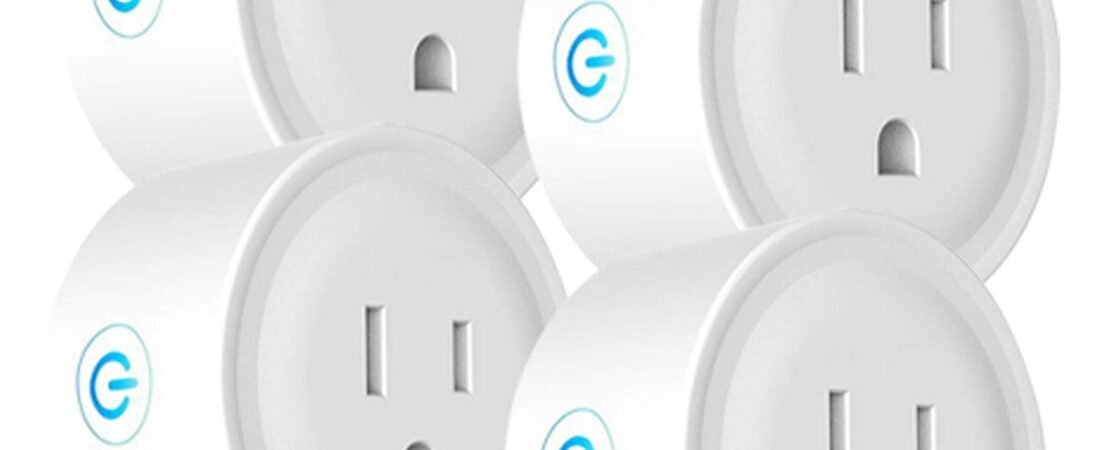
Smart home technology does not always require expensive appliances, complicated installations, or a complete home automation system. Sometimes, a small accessory can add useful connectivity to an ordinary device that was never designed to be smart.
The Deco Gear 4 Pack WiFi Smart Plug is designed around this idea. By connecting an appliance or electronic device through a WiFi-enabled smart plug, users can gain remote control and scheduling capabilities through a compatible smartphone app. The plugs are also designed to work with voice-control ecosystems such as Amazon Alexa and Google Home, allowing compatible devices to become part of a broader smart-home routine.
This approach can be useful for everyday equipment such as lamps, fans, coffee makers, seasonal decorations, and other compatible devices that operate through a standard on/off power connection.
A smart plug does not turn every appliance into a fully intelligent device. Instead, it gives users control over the electrical power supplied to the connected device. That distinction is important. A lamp that simply turns on when power is supplied can be convenient to control remotely, while an appliance with electronic controls may require its own power button to remain in an appropriate state.
The Deco Gear four-pack format also makes it possible to introduce smart control to several devices around a home rather than purchasing one plug at a time.
This guide explains how WiFi smart plugs work, what the Deco Gear four-pack is designed to do, practical ways to use it, how it compares with other categories of smart plugs, and what to consider before connecting household appliances or electronics.
What Is the Deco Gear 4 Pack WiFi Smart Plug?
The Deco Gear WiFi Smart Plug is a compact smart-home accessory designed to control the power supplied to connected appliances and electronics.
The product comes as a four-pack, allowing users to set up multiple smart-controlled outlets around a home.
Its main functions include:
- WiFi-based remote control
- Smartphone-based operation
- Compatibility with Amazon Alexa
- Compatibility with Google Home
- Control of connected appliances and electronics
- Scheduling or automation capabilities through supported software
- Multiple plugs for use in different locations
The basic principle is simple.
The smart plug is connected to a standard electrical outlet. The appliance or electronic device is then plugged into the smart plug. Once the plug is configured with the appropriate WiFi network and application, the user can control whether electrical power is supplied to the connected device.
This can turn a basic on/off device into something that can participate in a connected-home routine.
However, the smart plug does not generally control every individual function of the appliance. For example, if a fan has multiple speed settings controlled by a mechanical switch, the smart plug may only control whether power reaches the fan.
Key Features of the Deco Gear WiFi Smart Plug
1. Four-Pack Configuration
One of the practical aspects of this product is that it includes four smart plugs.
Instead of purchasing individual units separately, users can equip several areas of a home with smart control.
For example, four plugs could be assigned to:
- A living-room lamp
- A bedroom lamp
- A desk fan
- A seasonal decoration
Alternatively, several plugs can be used in a home office, entertainment area, kitchen, or other suitable locations.
Having multiple smart plugs can also make automation more consistent. A household could create separate routines for different rooms rather than relying on a single connected outlet.
2. WiFi Connectivity
The smart plugs use WiFi to communicate with the connected smart-home system.
This is what enables remote control through compatible software.
A WiFi-connected plug can potentially be controlled from a smartphone without requiring the user to be physically standing beside the outlet.
For example, someone could check whether a connected lamp is on and turn it off remotely.
The exact setup process and supported WiFi specifications should be confirmed in the manufacturer’s current instructions before installation.
3. Remote Appliance Control
One of the main reasons people use smart plugs is convenience.
Traditional appliances normally require someone to physically operate their switch.
A WiFi smart plug provides another control point.
Depending on the appliance and its switch design, users may be able to:
- Turn a lamp on remotely
- Turn a fan off remotely
- Control holiday decorations
- Manage certain small electronics
- Schedule compatible devices
- Check the connected plug’s status through the app
Remote access can be particularly useful when someone realizes they left a compatible device powered on after leaving home.
It can also be useful when preparing a home before returning.
4. Amazon Alexa Compatibility
The Deco Gear smart plug is designed to work with Amazon Alexa.
This means compatible users can integrate the plug into Alexa-based smart-home routines and voice commands.
For example, a connected lamp might be assigned a recognizable name such as “Desk Lamp” or “Bedroom Light.”
A user can then use an appropriate Alexa command to control the device.
Voice control can be convenient when the user’s hands are occupied or when reaching the physical outlet is inconvenient.
However, voice-control functionality depends on proper setup, compatible accounts, network connectivity, and supported device configurations.
5. Google Home Compatibility
The smart plugs are also designed for use with Google Home.
This allows Android and Google smart-home users to incorporate compatible connected devices into their existing setup.
A household that already uses Google Home-compatible products can potentially organize the Deco Gear plugs alongside lights, speakers, thermostats, and other smart devices.
As with Alexa integration, the exact features available can depend on current software and platform support.
6. Smartphone Control
Smart plugs generally rely on an associated application for initial setup and remote management.
The smartphone can serve as a centralized control interface for multiple plugs.
Instead of physically walking around the house to turn connected devices on or off, users can manage supported plugs from the app.
This can be particularly useful when several plugs are installed in different rooms.
7. Scheduling
Scheduling is another useful application of smart plugs.
A connected plug can potentially be programmed to turn on or off according to a selected schedule through the supported software.
Examples include:
- Turning a porch lamp on in the evening
- Turning a bedroom lamp off at a certain time
- Operating seasonal decorations during selected hours
- Turning a desk lamp on before a regular work session
Scheduling can reduce the need for manual interaction with devices that follow predictable daily routines.
How WiFi Smart Plugs Work
Understanding the basic process makes setup easier.
Step 1: Connect the Smart Plug
The smart plug is inserted into a compatible wall outlet.
The plug itself becomes the intermediary between the electrical outlet and the appliance.
Step 2: Connect the Appliance
The appliance or electronic device is plugged into the smart plug.
The device should be compatible with the electrical specifications of the smart plug and should be appropriate for smart-plug operation.
Step 3: Configure the WiFi Connection
The user follows the manufacturer’s setup instructions to connect the smart plug to the home network.
This usually involves a smartphone application and account configuration.
Step 4: Give the Plug a Name
Naming each smart plug is particularly useful when multiple units are installed.
Instead of remembering which device corresponds to “Plug 1,” “Plug 2,” and so on, users can use descriptive names such as:
- Living Room Lamp
- Office Fan
- Bedroom Light
- Christmas Tree
Clear naming also makes voice control easier.
Step 5: Add It to the Smart-Home Platform
If the user wants Alexa or Google Home integration, the plug can be linked through the appropriate supported process.
Once connected, the plug can potentially become part of broader smart-home routines.
Practical Ways to Use the Deco Gear Smart Plugs
Living Room Lighting
A smart plug can be useful for a lamp that has a simple physical on/off switch.
Instead of manually reaching for the lamp switch, users can control the power remotely.
A schedule can also be created so the lamp turns on or off at selected times.
This can be useful for households that follow regular evening routines.
Bedroom Lamps
A bedroom lamp connected to a smart plug can be controlled without getting out of bed, assuming the lamp’s switch remains in the correct position.
Scheduling can also be used to turn the lamp off at a consistent time.
Home Office Equipment
A smart plug can be useful for certain office accessories, such as a desk lamp or fan.
For example, a user might schedule a desk lamp to turn on shortly before the start of a regular workday.
For computers and other sensitive electronics, however, users should consider how the device responds when power is suddenly removed.
A smart plug should not be used as a substitute for properly shutting down a computer or other equipment unless the equipment is specifically designed for that type of power control.
Fans
Some fans can operate when power is restored if their physical control remains in an appropriate position.
This can make them candidates for smart-plug control.
However, fan designs vary. A fan that requires an electronic button to be pressed after power is restored may not behave as expected.
Users should test the appliance under controlled conditions before incorporating it into an unattended schedule.
Seasonal Decorations
Holiday lights and decorations are common smart-plug applications.
A schedule can turn decorations on during evening hours and switch them off automatically later.
This can reduce the need to manually control decorations every day.
As always, users should verify that the electrical load and decoration type are appropriate for the smart plug.
Small Appliances
Certain small appliances with simple mechanical controls may work with smart plugs.
Examples could include devices that begin operating as soon as power is supplied.
However, appliances that contain heating elements, motors, compressors, or other higher-power components require additional attention to electrical ratings and safe operation.
Travel and Vacation Routines
Smart plugs can also be used as part of a home’s lighting routine while the occupants are away.
For example, a lamp can be scheduled to operate during selected hours.
This can make a home appear occupied, although a smart plug should not be considered a comprehensive home-security system.
Who May Find a Four-Pack Smart Plug Useful?
Smart-Home Beginners
Someone starting a smart-home setup may prefer a small collection of devices rather than installing a large automation system immediately.
Four smart plugs provide enough units to experiment with different rooms and routines.
Existing Alexa Users
People who already use Alexa-compatible smart-home devices can integrate compatible smart plugs into their existing ecosystem.
Google Home Users
Google Home users can similarly incorporate compatible plugs into a connected-home environment.
Home Office Users
People working from home may use smart plugs for lamps, fans, and other suitable accessories.
Renters
Smart plugs generally do not require permanent electrical modifications.
A renter can potentially add smart control without replacing wall outlets or rewiring the property.
This makes plug-in smart-home devices a practical option for people who cannot make permanent changes to a home.
People Managing Multiple Rooms
The four-pack format is particularly useful when several rooms need basic smart control.
Rather than treating every connected device as a separate project, multiple plugs can be configured as a small smart-home system.
Important Things to Consider
1. A Smart Plug Controls Power, Not Every Appliance Function
This is an important distinction.
A smart plug essentially determines whether power is supplied to the connected device.
It does not necessarily control the device’s internal functions.
For example, plugging a television into a smart plug does not necessarily provide control over channels, volume, applications, or input sources.
Similarly, a coffee maker may require its own controls to be configured appropriately before it can respond predictably to power being restored.
2. Check Electrical Ratings
Every appliance has an electrical load.
Before connecting an appliance, users should verify that its power requirements are within the smart plug’s specifications.
This is particularly important for:
- Space heaters
- High-powered kitchen appliances
- Large fans
- Motors
- Compressors
- Other high-load devices
A smart plug should never be used beyond its rated electrical capacity.
3. Be Careful With Heating Appliances
Heating appliances deserve particular attention.
Devices that generate substantial heat can create risks if they operate unattended or are accidentally left running.
Examples include portable heaters, irons, hot plates, and similar equipment.
Remote control does not make an unsafe appliance safe.
Unless the manufacturer specifically indicates that the smart plug is appropriate for the particular application and the device can safely operate under automated power control, caution is advisable.
4. WiFi Is Required for Connected Features
A WiFi smart plug depends on network connectivity for its connected functionality.
If the home’s internet connection or WiFi network is unavailable, remote smartphone control may not function as expected.
This is one reason users should understand the difference between local physical control and cloud-based or app-based control.
5. The Smart Plug Does Not Provide Internet to the Appliance
The term “WiFi smart plug” can sometimes cause confusion.
The plug connects to the home’s WiFi network so that its control system can communicate with the application.
The appliance connected to it does not automatically become a WiFi-enabled device.
For example, plugging a conventional lamp into a WiFi smart plug does not make the lamp itself an internet-connected lamp.
6. Initial Setup Takes Some Time
A traditional plug can simply be inserted into a wall outlet.
A smart plug needs additional configuration.
Users may need to:
- Install an app
- Create or use an account
- Connect to WiFi
- Pair the device
- Name the plug
- Configure Alexa or Google Home
- Create schedules
Once configured, daily operation can be simpler, but initial setup is part of the process.
7. Network Security Matters
Because smart plugs are connected devices, users should follow sensible network-security practices.
Use a secure WiFi network and keep the associated application updated.
Avoid sharing account credentials unnecessarily.
Smart-home security is not only about the individual plug. The wider home network and connected accounts are also part of the security environment.
8. Power Restoration Behavior
An important practical question is what happens after a power outage.
Different smart plugs can behave differently when electricity returns.
Depending on the design and configuration, a connected device may remain off, turn on, or return to a previous state.
Users should understand the plug’s power-restoration behavior before connecting equipment that should not automatically restart.
This is especially important for devices that contain motors, heating elements, or other components that should not start unexpectedly.
Smart Plug vs. Traditional Plug
The simplest comparison is between a standard outlet adapter and a connected smart plug.
| Feature | Traditional Plug/Adapter | WiFi Smart Plug |
|---|---|---|
| Physical power connection | Yes | Yes |
| Smartphone control | No | Yes |
| Remote operation | No | Yes |
| Scheduling | No | Available |
| Alexa integration | No | Available on compatible models |
| Google Home integration | No | Available on compatible models |
| Setup required | Minimal | Yes |
| Network dependency | No | Yes for connected functions |
A traditional plug remains useful when simplicity is the main goal.
A smart plug adds control and automation for users who want more flexibility.
WiFi Smart Plug vs. Smart Outlet
A smart outlet replaces or incorporates functionality into a wall outlet itself, while a smart plug connects externally to an existing outlet.
A smart plug generally has the advantage of easier installation.
Users can install it without changing electrical wiring.
A smart outlet may offer a cleaner integrated appearance, but installation can involve electrical work and may be less suitable for renters.
The appropriate choice depends on the property, desired appearance, installation requirements, and comfort level.
WiFi Smart Plug vs. Bluetooth Smart Plug
WiFi and Bluetooth smart devices operate differently.
A WiFi smart plug can typically communicate through the home’s internet-connected network, making remote access possible when supported.
Bluetooth devices generally operate over a shorter direct wireless connection.
For users interested in controlling a device while away from home, WiFi-based connectivity is often more practical.
For simple local control, Bluetooth can sometimes be sufficient.
Creating Useful Smart-Home Routines
The real value of multiple smart plugs often comes from combining them into routines.
Morning Routine
A household could schedule certain lights to turn on in the morning.
For example, a desk lamp might activate shortly before a person’s usual workday.
Evening Routine
Living-room or exterior lighting can be scheduled for selected evening hours.
Night Routine
Bedroom lamps and other suitable devices can be turned off automatically at a predetermined time.
Weekend Routine
Schedules can be adjusted for weekends when household routines differ from weekdays.
The goal should be to automate predictable tasks rather than adding automation simply because it is available.
Making Voice Control Easier
Voice assistants work best when devices have simple, descriptive names.
Instead of calling a plug “Device 4,” use a name associated with its location or purpose.
Examples include:
- Desk Lamp
- Bedroom Fan
- Living Room Lamp
- Porch Light
Users should also avoid giving several devices nearly identical names, as this can make voice commands confusing.
Organizing devices by room can make a larger smart-home setup easier to manage.
Energy Awareness and Smart Plugs
Smart plugs can also contribute to better awareness of household electricity use, depending on whether the particular model supports energy monitoring.
However, a basic smart plug should not automatically be assumed to provide detailed energy-consumption data.
If energy monitoring is an important requirement, users should verify that the specific model explicitly supports it.
Regardless of monitoring features, the ability to schedule devices can make it easier to avoid leaving certain compatible electronics powered on unnecessarily.
Maintenance and Everyday Care
Smart plugs generally require little physical maintenance, but sensible care is still important.
Keep the device away from excessive moisture unless it is specifically designed for such environments.
Do not overload the plug.
Inspect the plug and connected cord periodically for signs of damage.
If the smart plug becomes unusually hot, develops a burning smell, makes abnormal noises, or shows visible damage, disconnect it and stop using it until the issue can be safely evaluated.
Do not attempt electrical modifications to the device.
Frequently Asked Questions
What is a WiFi smart plug?
A WiFi smart plug is an electrical adapter that sits between a wall outlet and an appliance. It connects to a WiFi network and allows compatible users to control the flow of power through an application or supported smart-home platform.
How many smart plugs come in this Deco Gear package?
The product is sold as a four-pack, providing four smart plugs for use with compatible appliances and electronics.
Does the Deco Gear smart plug work with Alexa?
The product is designed to be compatible with Amazon Alexa, allowing supported plugs to be incorporated into compatible voice-control routines.
Does it work with Google Home?
Yes. The product is designed to work with Google Home-compatible smart-home systems.
Can I control the plug from my phone?
The product is designed for smartphone-based control through its supported connected system.
Can I control the plug when I am away from home?
Remote control is one of the main purposes of a WiFi smart plug. When the plug, home network, application, and connected service are operating correctly, compatible users can control it remotely.
Does the appliance itself need to be smart?
No. One advantage of a smart plug is that it can add connected on/off control to certain conventional appliances.
However, the appliance needs to behave appropriately when electrical power is supplied.
Can a smart plug control a television?
It can control whether power is supplied to a television, but it does not necessarily control the television’s individual functions. Whether a TV turns on automatically after power is restored depends on the television’s own settings and design.
Can I use it with a lamp?
Lamps with straightforward on/off switches are among the simpler applications for smart plugs. The lamp’s physical switch generally needs to remain in the appropriate position for remote power control to work as expected.
Can I use it with a fan?
A fan may work with a smart plug if it resumes operation when power is supplied and its electrical requirements are within the plug’s specifications. Users should test the particular fan before using scheduled or remote operation.
Can I connect a space heater?
High-power heating appliances require particular caution. Users should check the electrical specifications and the manufacturer’s guidance before connecting any heating device. Remote control does not eliminate the safety risks associated with unattended heating equipment.
Does a smart plug make an appliance fully smart?
No. The plug primarily controls electrical power. It does not automatically add smart functions to the appliance itself.
What happens if the WiFi goes down?
Connected remote-control features may not work while the network connection is unavailable. The exact local behavior depends on the smart plug’s design and configuration.
Does a smart plug work during a power outage?
No device can control an appliance while the home has no electrical power. What happens after electricity returns depends on the smart plug’s configuration and power-restoration behavior.
Do I need Alexa or Google Home to use the smart plug?
Smart-home assistant integration is an additional feature. The plug’s own application can provide its primary connected controls, while Alexa and Google Home can provide additional voice and ecosystem integration.
Can four smart plugs be used in different rooms?
Yes. The four-pack format allows the individual plugs to be distributed around the home, assuming each location has an appropriate electrical outlet and WiFi connectivity.
Are smart plugs useful for renters?
They can be a convenient option because they generally do not require replacing or modifying the home’s electrical wiring.
Can smart plugs help with home security?
Scheduled lighting can make a home appear occupied, but smart plugs should not be considered a complete security system. They are better viewed as one small component of a broader home-security approach.
Conclusion
The Deco Gear 4 Pack WiFi Smart Plug provides a straightforward way to introduce connected control to compatible appliances and electronics without replacing existing wall outlets or purchasing entirely new smart devices.
Its four-pack configuration allows users to extend smart control to several areas of a home. WiFi connectivity provides smartphone-based management, while compatibility with Amazon Alexa and Google Home can make the plugs part of a broader voice-controlled smart-home system.
The most useful applications are generally devices that already have simple on/off behavior, such as lamps, some fans, and certain decorative lighting. Scheduling can be particularly convenient for equipment that follows predictable daily routines.
At the same time, a smart plug should not be viewed as a universal remote control for every appliance. It controls electrical power, while the connected device determines what happens when that power is supplied or removed. Appliances with complex electronic controls may behave differently from simple lamps or mechanical devices.
Electrical safety is also an important consideration. Users should always check the smart plug’s specifications against the requirements of the connected appliance, avoid exceeding rated loads, and use additional caution with high-power equipment and heating appliances.
For someone looking to experiment with smart-home automation, manage several compatible devices, or add remote and scheduled power control without permanently modifying electrical outlets, a four-pack of WiFi smart plugs can be a practical addition to a connected home.